World Explorer

The whole planet,
one tap away.

Mundu turns Earth into a living atlas. Spin a real 3D globe, drop a base anywhere — a Roman ruin, a volcano, a battlefield — and instantly discover every remarkable place around it, with photos and stories from Wikipedia.

90+place categories
16Wikipedia languages
places to discover
scroll
The Globe

A real Earth,
rendered like a jewel.

Not a flat map. A hand-crafted 3D globe with GPU-shaded mountain relief from NASA elevation data, precise vector coastlines, thousands of islands and cities that fade in as you fly closer.

3D mountain relief

Real elevation, shaded in real time on the GPU. The Alps, the Andes and the Himalaya cast their ridges across the sphere.

Drop a base anywhere

One tap on “Explore here” scans the area through Wikidata and reveals every notable place around your point — instantly.

90+ categories of places

Castles, cathedrals, volcanoes, glaciers, beaches, historical battles, sieges and expeditions. If it mattered, it’s on the globe.

Photos & stories built in

Every place opens a gallery from Wikimedia Commons and the full article on Wikipedia — in your language, with English fallback.

16 Wikipedia languages

Switch language from the globe with one tap. Every new discovery follows it.
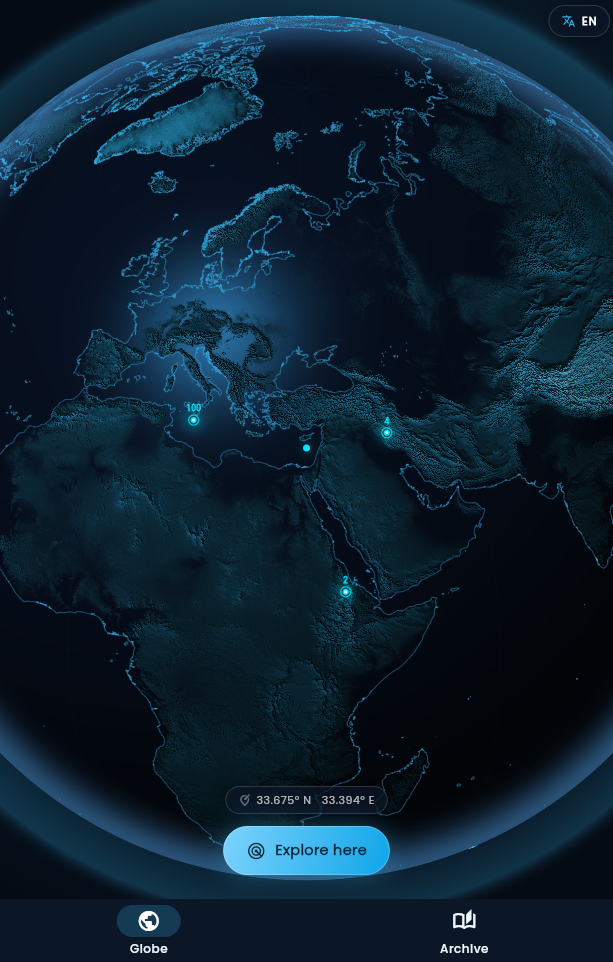
Mundu — the 3D globe with a base dropped
The Archive

Everything you find,
beautifully organized.

Every place you uncover flows into your personal Archive — no manual filing, ever. Three living views of your journey around the world.

Categories

Expandable groups for every kind of place you’ve found. A site that is both a castle and a museum shows up in both — automatically.

Favorites

Star any article to pin it. Your shortlist survives even if you clear the base it came from.

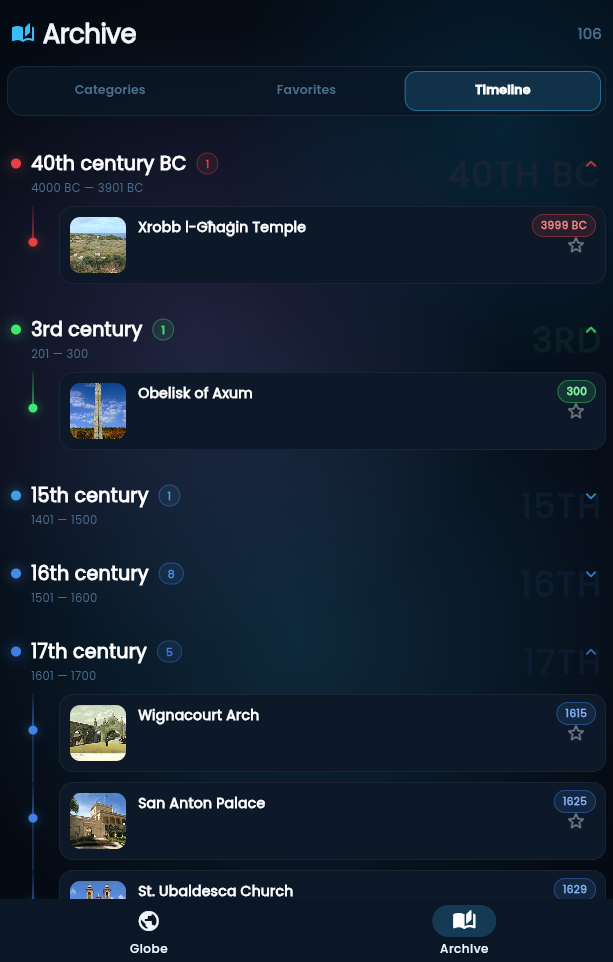
A timeline through the centuries

Your discoveries arranged by century — from the 5th century BC to today — along a glowing timeline, each era with its own color. Foundation dates are fetched from Wikidata automatically.

Back to the globe

Any article can point back to its exact spot: one tap and the globe flies you there.

Mundu — the Archive timeline through the centuries
How it works

Three taps to anywhere.

01

Spin the globe

Drag, pinch, dive. From orbit down to a single valley, with mountain relief, coastlines and cities emerging as you approach.

02

Drop a base

Center any point on Earth and tap Explore here. Mundu queries the open knowledge graph and lights up every remarkable place around it.

03

Explore & collect

Browse places grouped by category, open photo galleries, read the stories — and watch your Archive and timeline grow.

Install

Add Mundu to your home screen.

Mundu is a Progressive Web App — no app store, no download. It runs right in your browser; installing simply adds an icon and lets it open full-screen and work offline.

AndroidChrome
  1. Open Mundu in Chrome.
  2. Tap the ⋮ menu (or the “Install” banner that appears).
  3. Choose Install app — it lands on your home screen.
iPhone & iPadSafari
  1. Open Mundu in Safari.
  2. Tap the Share button (the square with an up-arrow).
  3. Scroll and choose Add to Home Screen.
DesktopChrome / Edge
  1. Open Mundu in Chrome or Edge.
  2. Click the install icon in the address bar.
  3. Click Install — it opens in its own window.
Prefer not to install? Just tap Open Mundu and use it straight in the browser — everything works the same. Your bases and favorites are saved on your device either way.
Open knowledge

Powered by the world’s greatest library.

Every article, photo and date in Mundu comes from Wikipedia, Wikidata and Wikimedia Commons — the free knowledge projects built by millions of volunteers. Read the full credits →

Wikipedia Wikidata Wikimedia Commons Natural Earth NASA SRTM
No account

No sign-up, no login. Open the app and explore.

No tracking

No ads, no analytics, no third-party trackers.

Yours, on device

Bases, favorites and settings live only on your phone. Privacy policy →

Mundu · World Explorer

Your next discovery is
already on the globe.

Free, lightweight, and endlessly curious — just like you. No store, no sign-up.

Open Mundu
or add it to your home screen ↑